
Product content for ecommerce and marketplaces
Titles, item specifics, descriptions and photos that get products found in search and filters, on your site, Google Shopping and eBay. Written rules per channel, tested on sample categories before rolling out to the whole catalog.
Titles: one rule per channel
On your site the title comes from the category path; on eBay it has 80 characters and a precise order. The same product gets different but consistent titles across site, feed and marketplace.
The rules we apply
They come from analyzing the titles that actually rank at the top, not from generic guides.

All 80 characters
Top sellers use nearly all of them. Searched words go in the first three; a title never starts with “For”.

Full word plus code
“30L 30 LITER”, “XL EXTRA LARGE”: you catch people searching either way.

One title, one product
Colors and sizes go in variants, not in separate titles.

No tricks
No emoji, foreign words or brand names that aren’t yours. Caps don’t improve ranking, and the subtitle isn’t indexed by search.

On site, from the path
Title and H1 built from the full path: category, type, capacity. “30 liters – Shop” becomes a title someone actually searches for.

Titles and sales
Titles and specifics bring relevance; category position is driven mostly by sales and watchers.
Item specifics and filters
The side filter matters as much as the title. A listing missing “Capacity” or “Waterproof” disappears the moment a buyer applies that filter, however good the title is. Top-ranked listings fill in about twice as many item specifics as those at the bottom.
Before filling thousands of listings we test one or two sample categories and check whether buyers actually use those filters. Data, not assumptions.
- A minimum set per category: brand, type, capacity or size, color, product codes
- On site, key facts in key · value rows, the top four above the fold
- Measurements and codes are collected, never made up
Descriptions and product data
The rules every product page must meet before it’s published.

No made-up data
If a fact isn’t in the product data it isn’t written; if it’s missing, the field stays empty.
Your own copy, not the supplier’s
Manufacturer copy repeated on dozens of sites gives Google no reason to pick yours.
Readable on mobile
The description can be collapsed but must be in the page from the start: Google doesn’t click “read more”.
Safety information separate
Manufacturer and warnings in a clearly labeled block, not buried in the description.
Encoding and translations
Accents turned into “?” and raw supplier translations get found and fixed.
No copying competitors
No sentence sharing five consecutive words with a competitor.
Duplicates, out-of-stock and discontinued
These are the points where a catalog quietly loses rankings.
The same product listed several times
Two or three listings of the same product code compete with each other. We show how to consolidate them, including as variants: closing and relisting loses sales history.
Temporarily out of stock
The page stays reachable, with updated availability, a disabled button and alternatives; in the category it goes to the bottom. On marketplaces we recommend not ending the listing.
Discontinued
If there’s an equivalent product it redirects there; if not, the page responds as removed. Never “no longer available” on a page that responds as if it existed.

Reloaded under a new URL
Same code, new URL: the old one must permanently redirect to the new one, or accumulated impressions are lost.
From still life to on-model photos
From one product photo on a light background we generate an on-model shot, with no photoshoot to organize. The product stays the real one: color, logos, prints and fit are checked one by one before publishing.
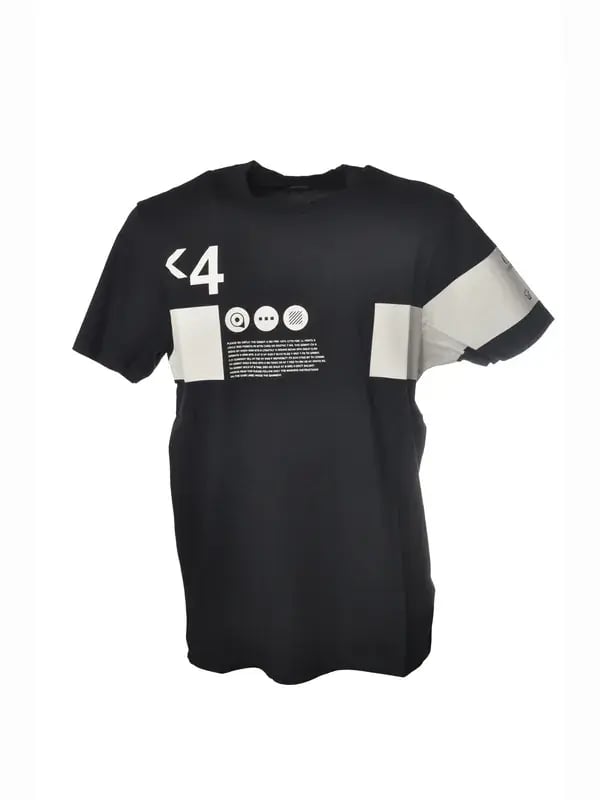 Original
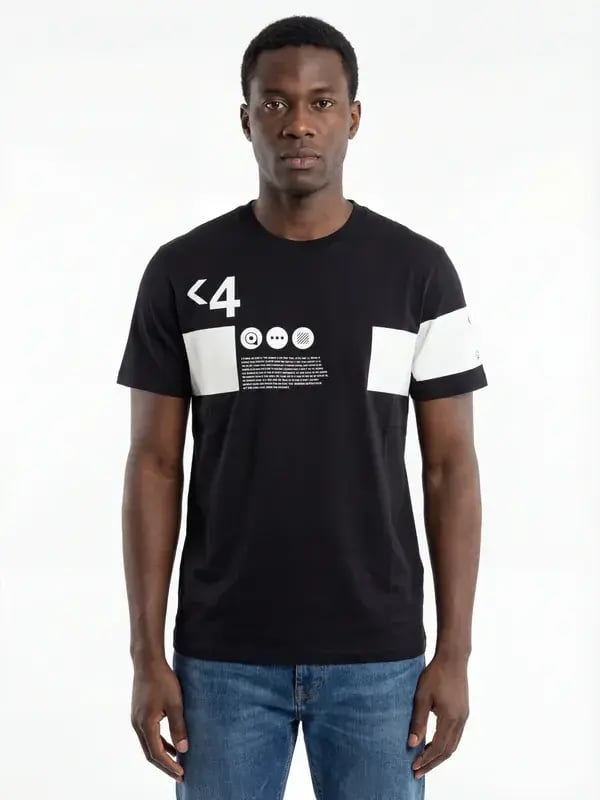 AI-generated
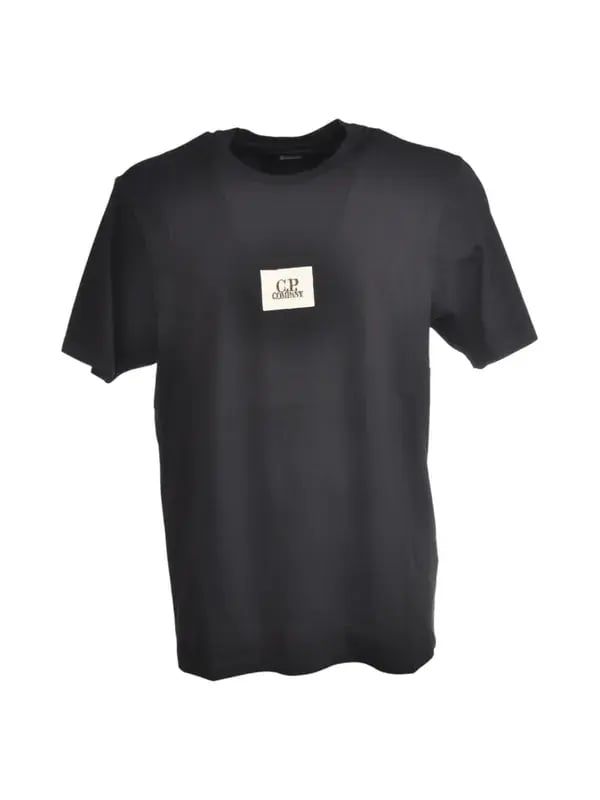 Original
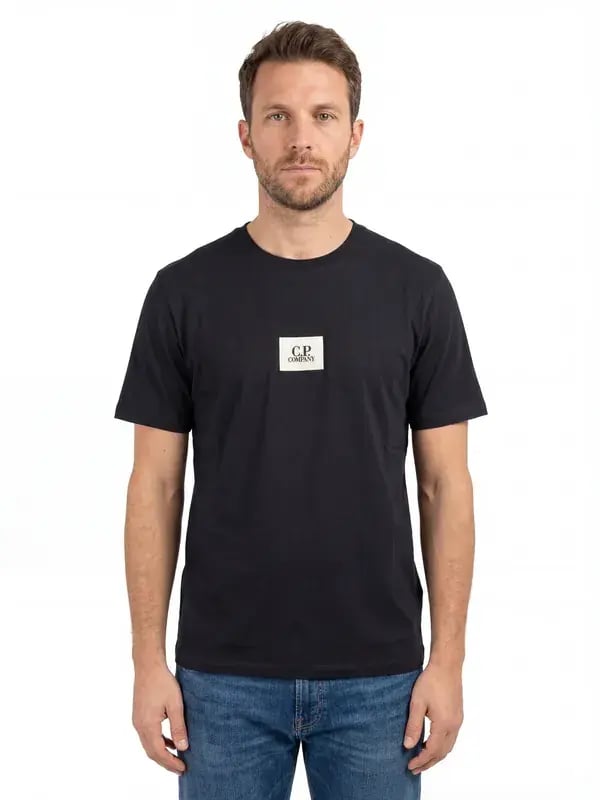 AI-generated
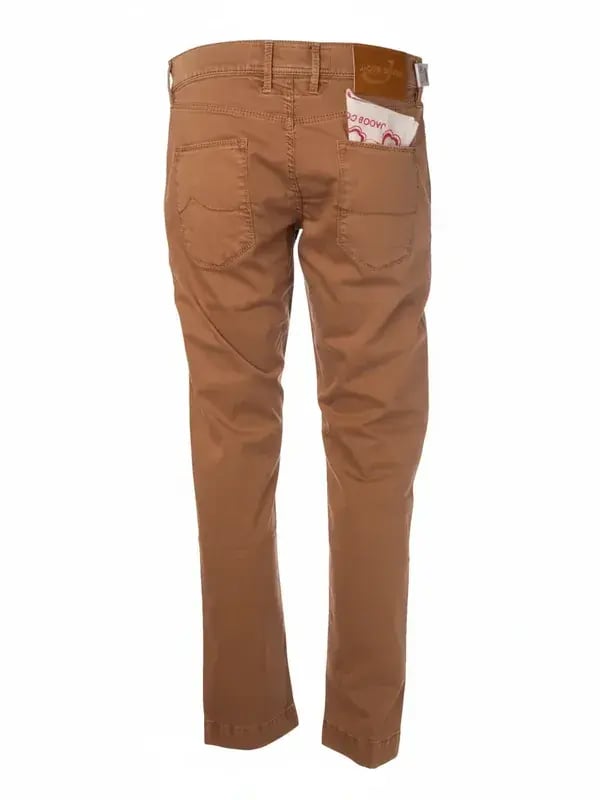 Original
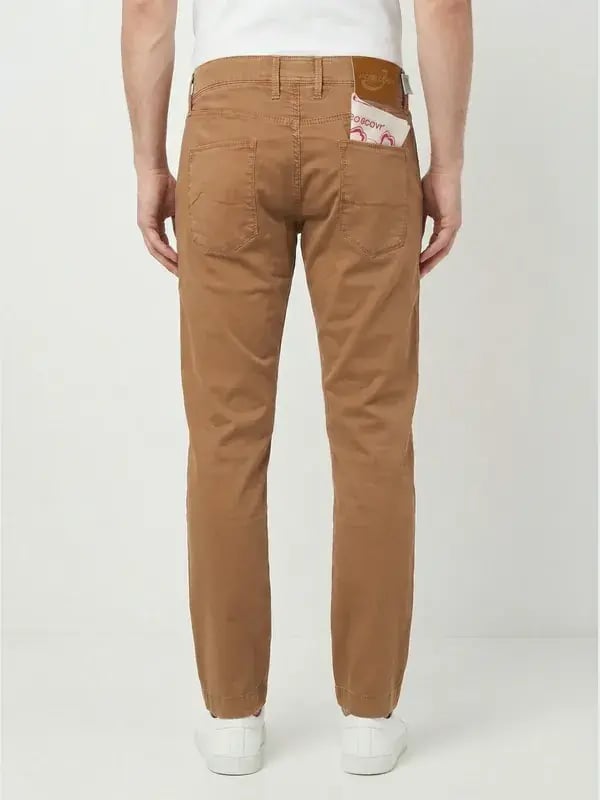 AI-generated
Examples from work for a fashion ecommerce store.
Rules for every photo
The number of photos alone doesn’t lift anyone. What counts is sharp photos showing what buyers need to check before they buy.
- 4–6 sharp photos on a light background, with the details that matter (fittings, stitching, labels)
- No frames, text overlays or watermarks
- Cut-outs, backgrounds, lifestyle scenes and on-model shots with AI, without changing the product’s colors or details
- Tested on a sample, then rolled out by group; only hard cases done by hand
The category tree
Categories should follow how people search: make, model, year; type, use, audience. Often the structure is already there and only the right names on the doors are missing.
- The right category means the right filters
- A product with no category has no path to be found
- Empty categories: useful content or a redirect to the parent category, decided case by case
- Gender and size are handled by filters, not extra pages
Foreign marketplaces
On a foreign marketplace the title is written in the local language, but technical jargon that the market searches in English stays in English. That’s exactly where machine translation fails.
For each sector we keep a three-part glossary.
How we measure
Competitor analysis shows correlations, not causes. That’s why every rule is tested on a group of listings and compared with a group left unchanged.
- Test example: 20 rewritten listings against 20 unchanged, 4 weeks before and after
- On eBay: search impressions, CTR, views, conversion, rank on the same searches
- On site: share of product pages with at least one impression, and impressions per 1,000 pages
- In Merchant Center: disapproved products and consistency between feed and site
Our process, month by month
One point of contact, a monthly call, written and measured rules.
 Step 1
Top-results analysis
Titles, item specifics and photos of top-ranked listings on the searches that matter, per channel.
- Step 2
Written rules
Rules for titles, specifics, descriptions and photos, with examples per category.
- Step 3
Sample categories
One or two categories rewritten and compared against a control group.
- Step 4
Rollout and measurement
If the data holds, we roll out to the catalog; every month we measure and adjust.
Product content FAQs
The questions we hear before we start.
Do you write product content for the whole catalog?
We start with categories and products that have demand and sales. For the rest we write shared rules for titles and specifics, applied consistently.
Do supplier descriptions need rewriting?
On the pages that matter, yes: the same copy on dozens of sites doesn’t help in search. Elsewhere, complete item specifics and a correct title are enough.
Do you use AI for copy and photos?
Yes. For copy, as a draft to be checked: no made-up data. For photos, we turn still life shots into on-model or lifestyle images; each one is compared with the original for color, logos, prints and stitching before it’s published.
Do I need a photoshoot with models?
Not necessarily. A sharp photo of the product on a light background, with details visible, is enough to generate the on-model shot. The better the starting photo, the more faithful the result.
Do you work on eBay listings too?
Yes: 80-character titles, item specifics, photos, duplicates and foreign marketplaces, tested on sample categories before rolling out.
How do you know a rule works?
With a group of rewritten listings and one left as it was, compared over the same weeks: impressions, clicks, views and sales.
How much does it cost?
Product content is part of the Store Manager (3,500€ a month) and Performance packages. Details on our Pricing page.


Do your listings show up in filters?
We take one category and compare your titles and specifics with the top-ranked listings.